
See what fills your photo library. Clear it in minutes.
See how much space your photos and videos take, find similar shots, and keep only the best. All on your device.






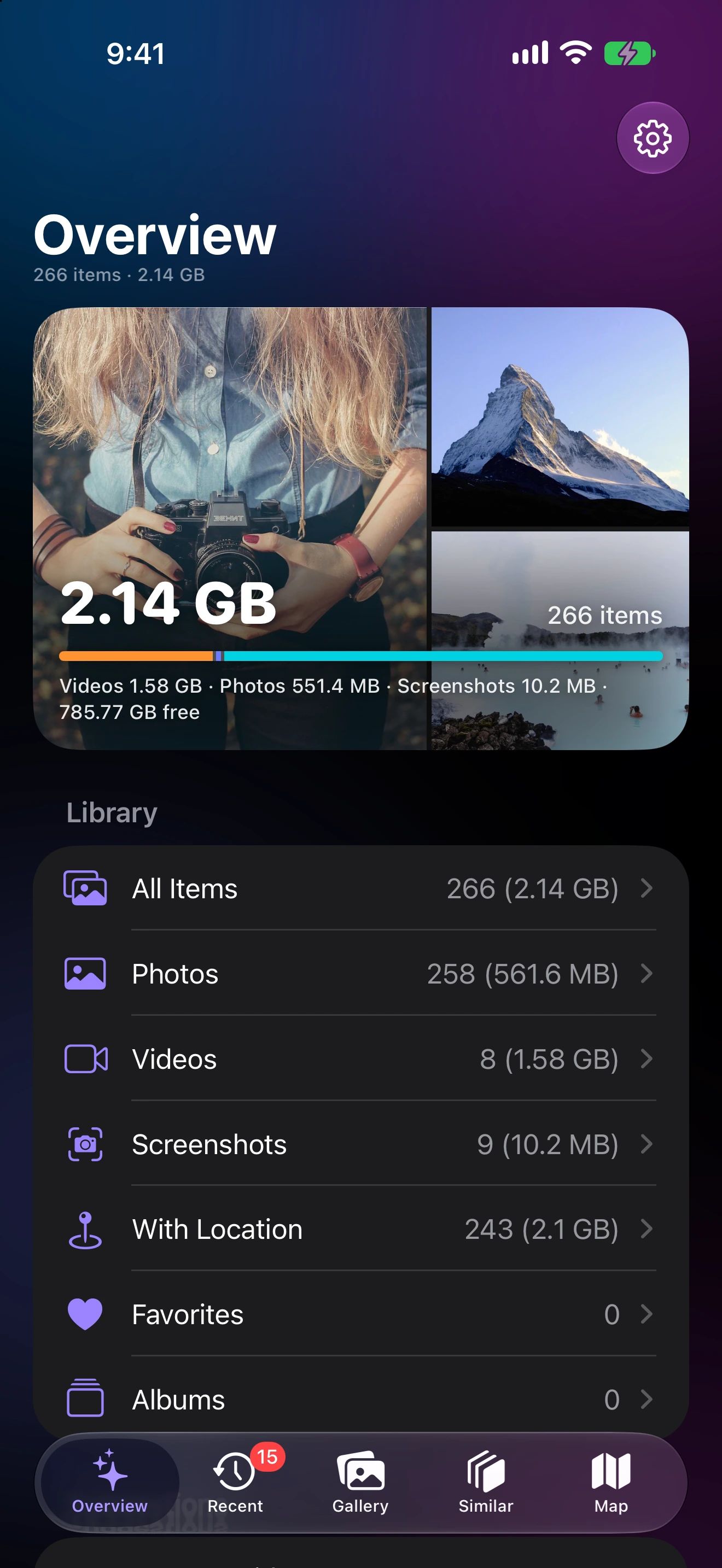
Three steps to a lighter library
See where the space goes
Every type of item, with its real size.
Pick what to clear
Largest first, similar shots, or what’s new.
Delete safely
Recoverable for 30 days in Recently Deleted.
Ten shots of the same moment? Keep the best one.
Photo Cleaner groups similar shots and suggests the one worth keeping. You decide what goes.
How Similar Photos works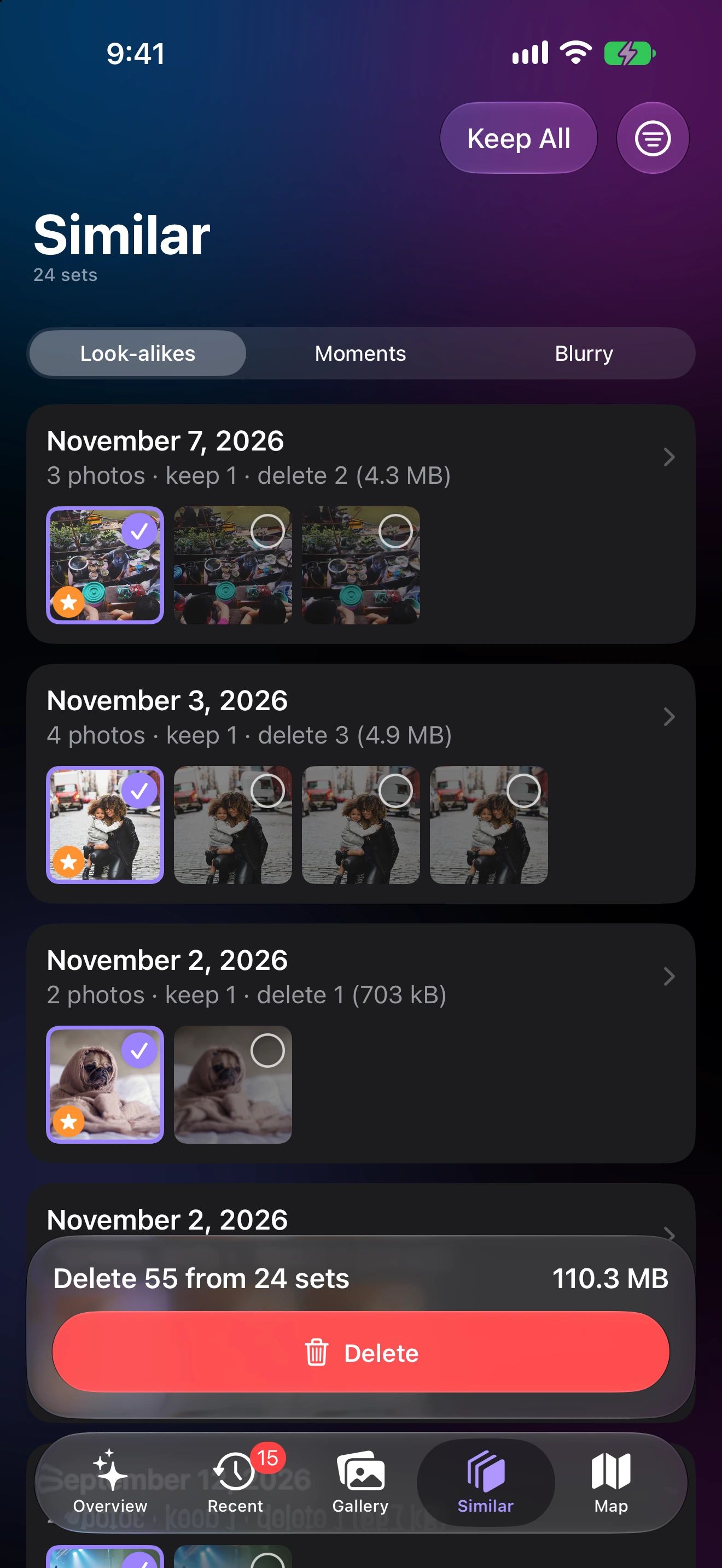
Find the videos eating your storage
Sort by size and see the total before you clear anything. A few long videos often free more space than a thousand photos.
How Large Videos works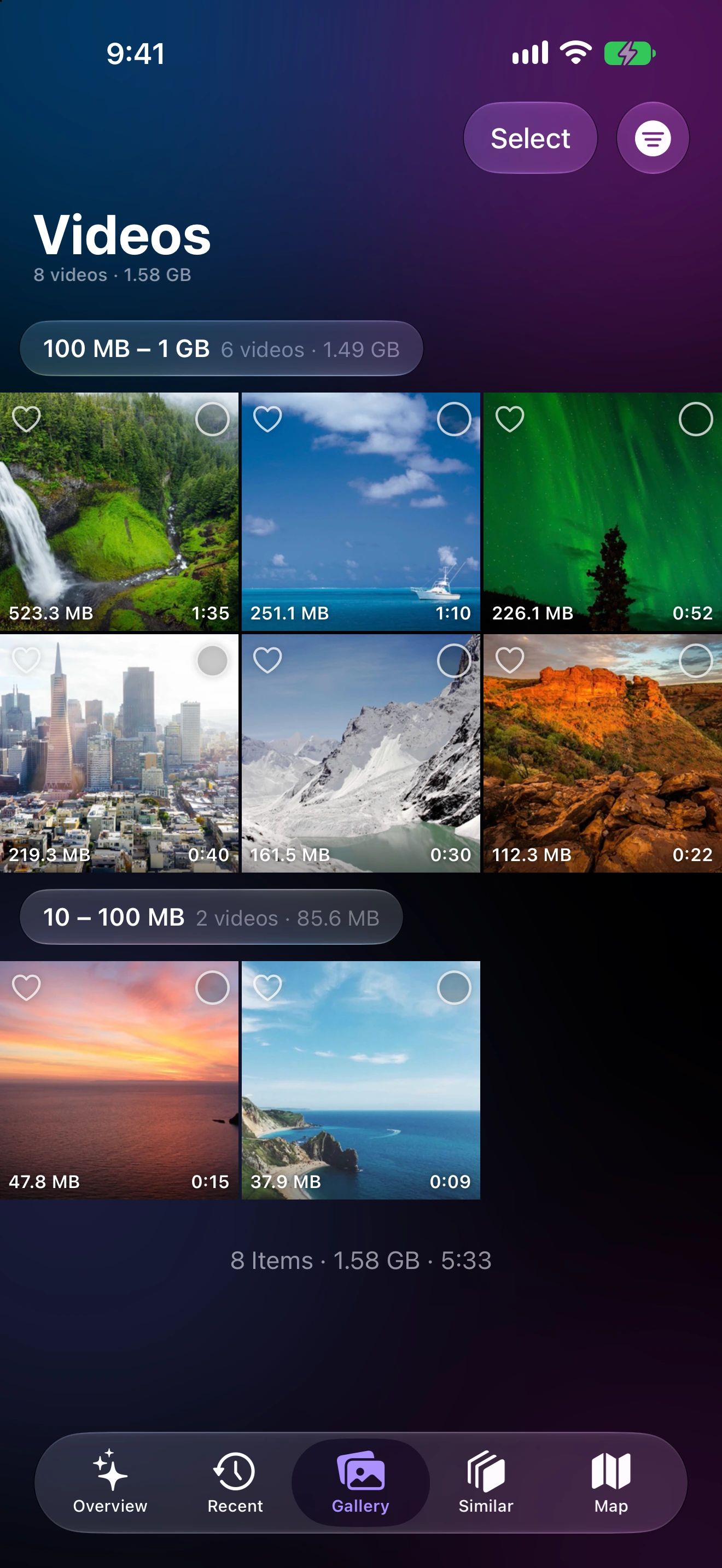
More ways to keep your library tidy
Screenshot Cleaner
Every screenshot in one place, sorted by date or size, ready to clear in a few taps.
Learn moreRecently Added
Everything taken since your last review, grouped by day, ready to keep or clear.
Learn morePhoto Map
See where your photos were taken, open a whole trip at once, and filter by timeframe.
Learn moreAlbums and Favorites
Add the keepers to an album or Favorites as you go. Changes appear in the Photos app right away.
Learn moreYour photos stay on your device
Sizing, similar-photo matching and every suggestion happen on your iPhone, iPad or Mac. Photo Cleaner has no account and no server that sees your library.
With your permission, the app shares anonymous usage data and crash reports. You can turn either off in Settings at any time. Privacy Policy
Questions, answered
Do my photos leave my device?
No. Photo Cleaner reads your library through Apple’s Photos framework and does all sizing and similar-photo matching on your device. Nothing from your library is uploaded.
Can I get back something I deleted?
Yes. Deleted photos and videos move to Recently Deleted in the Photos app, where you can recover them for 30 days.
How does it pick the best photo in a set?
It measures how sharp each shot is and scores how good it looks with Apple’s on-device Vision framework, then puts the best one first. You can change the pick before deleting.
Does it work on iPad and Mac?
Yes. Get it once and use it on every Apple device you own: iPhone, iPad and Mac. It cleans the photo library on the device you use it on.
Can my family use it too?
Yes. Photo Cleaner supports Family Sharing, so up to five family members can download it at no extra cost, each on their own devices and with their own photo library.

Get your space back today
Download Photo Cleaner and see where your storage goes in under a minute.