
Find the videos taking the most space on your iPhone
Sort videos largest or longest first, see the total before you delete, and free gigabytes in a few taps.
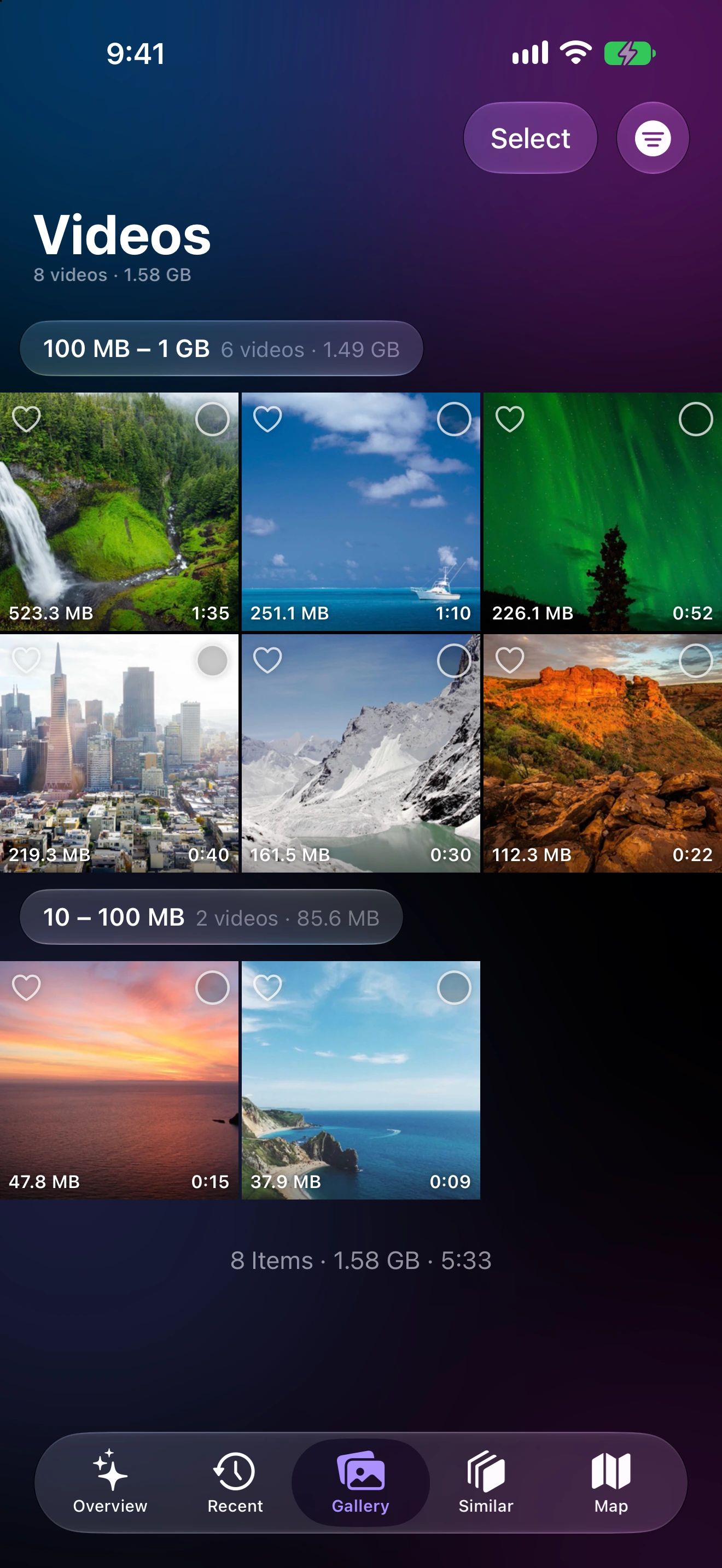
Gigabytes back in three taps
Show only videos
Filter the gallery to videos, or follow the Largest Videos suggestion on the Overview.
Largest first
Sort by size or length, or narrow to a range such as 100 MB – 1 GB.
Select and delete
The selection shows how much space you'll free before you confirm.
Why a few videos matter more than a thousand photos
Photos are a few megabytes each. Videos are a different scale: a long 4K clip of a concert or a child’s school play can take more space than an entire holiday of photos.
That’s why sorting by size works so well. Photo Cleaner measures every video on your device and lists them largest first, with the size on each thumbnail. The Overview also tells you how much your top videos use together, so you know what’s at stake before you start.
How big videos really are
Apple’s own figures for the iPhone camera put a minute of 4K video at 30 frames per second at about 170 MB with the efficient HEVC format, and around 400 MB at 60 frames per second. Slow motion, Cinematic mode and HDR add more. A ten-minute recording can easily pass 2 GB.
Ways to narrow the list
- Largest first or longest first, to see the heaviest clips at the top.
- Size ranges: under 10 MB, 10–100 MB, 100 MB–1 GB, and 1 GB and larger.
- Timeframe: last month, last 3 months, last year, or a custom range.
What’s usually safe to clear
Keep the ones that matter. Clear the accidental pocket recordings, the duplicate exports from editing apps, the screen recordings you made once, and the clips you already shared and saved elsewhere. Tap any video to watch it with sound before you decide.
Large Videos questions
Why are my videos so large?
A minute of 4K video can take several hundred megabytes, more with high frame rates or HDR. A single long clip can outweigh hundreds of photos.
Can I sort videos by length?
Yes. Besides largest and smallest first, videos can be sorted longest first.
Can I watch a video before deleting it?
Yes. Tap a thumbnail to play it with sound, swipe to the next one, and delete or favorite it from the viewer.
