
Clear old screenshots from your iPhone
Every screenshot in one place, sorted by date or size, ready to clear in a few taps.
A clean camera roll, minus the clutter
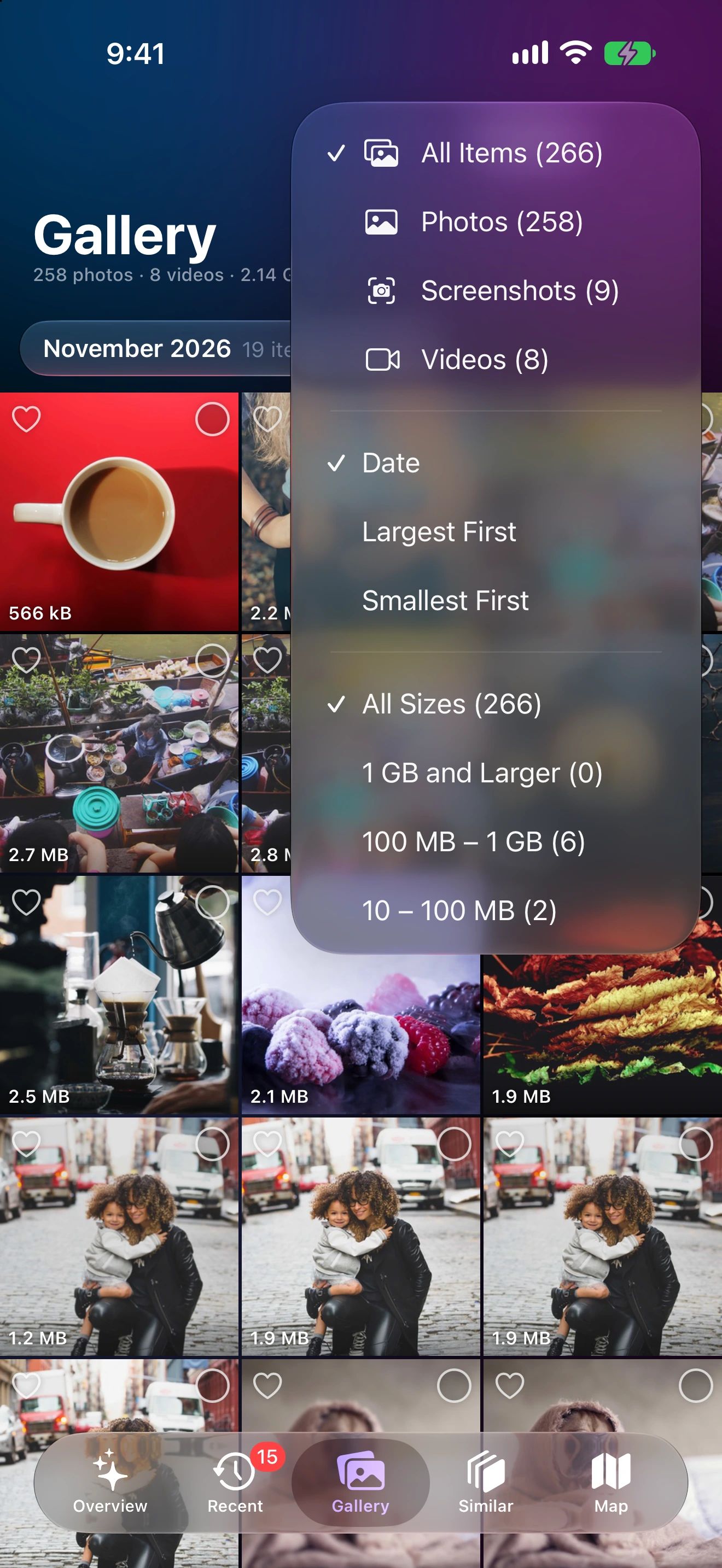
Filter to screenshots
One tap in the filter menu shows only screenshots.
Pick a timeframe
Older than a few months? Narrow it down by date.
Select and delete
Select many at once and see the space you'll free.
Why screenshots pile up
A boarding pass, a parking spot, a recipe, a funny message. Screenshots are taken in a second and forgotten in a day, but they stay in your library, mixed in with the photos you care about.
Photo Cleaner shows them all in one grid, newest or largest first. Narrow to a timeframe, select the ones you don’t need, and they’re gone, with 30 days in Recently Deleted in case you change your mind.
Why they add up
One screenshot is small, but most people take several a day. After a few years that’s thousands of files, and on a high-resolution iPad or Mac screen each one is bigger than on a phone. The Overview shows their total next to photos and videos, so you can see whether they’re worth a pass.
A quick routine
- Filter the gallery to Screenshots.
- Pick a timeframe, such as everything older than three months.
- Favorite the few worth keeping, like a recipe or an important confirmation.
- Select the rest and delete them in one go.
Photo Cleaner uses the screenshot mark that iOS and macOS store in your library. It doesn’t read what’s on them.
Screenshot Cleaner questions
How does Photo Cleaner know what's a screenshot?
iOS and macOS mark screenshots in the photo library, and Photo Cleaner uses that mark. It doesn't read what's in them.
Do screenshots take much space?
Each one is small, but they add up to thousands over the years. The Overview shows their total next to photos and videos.
Can I keep some screenshots?
Yes. Only what you select is deleted. Add the ones you want to keep to Favorites or an album first.
More ways to free up space

Clear the screenshots you'll never need again
Photo Cleaner for iPhone, iPad and Mac.