
Browse your photos and videos on a map
See where your photos were taken, open a whole trip at once, and filter by timeframe.
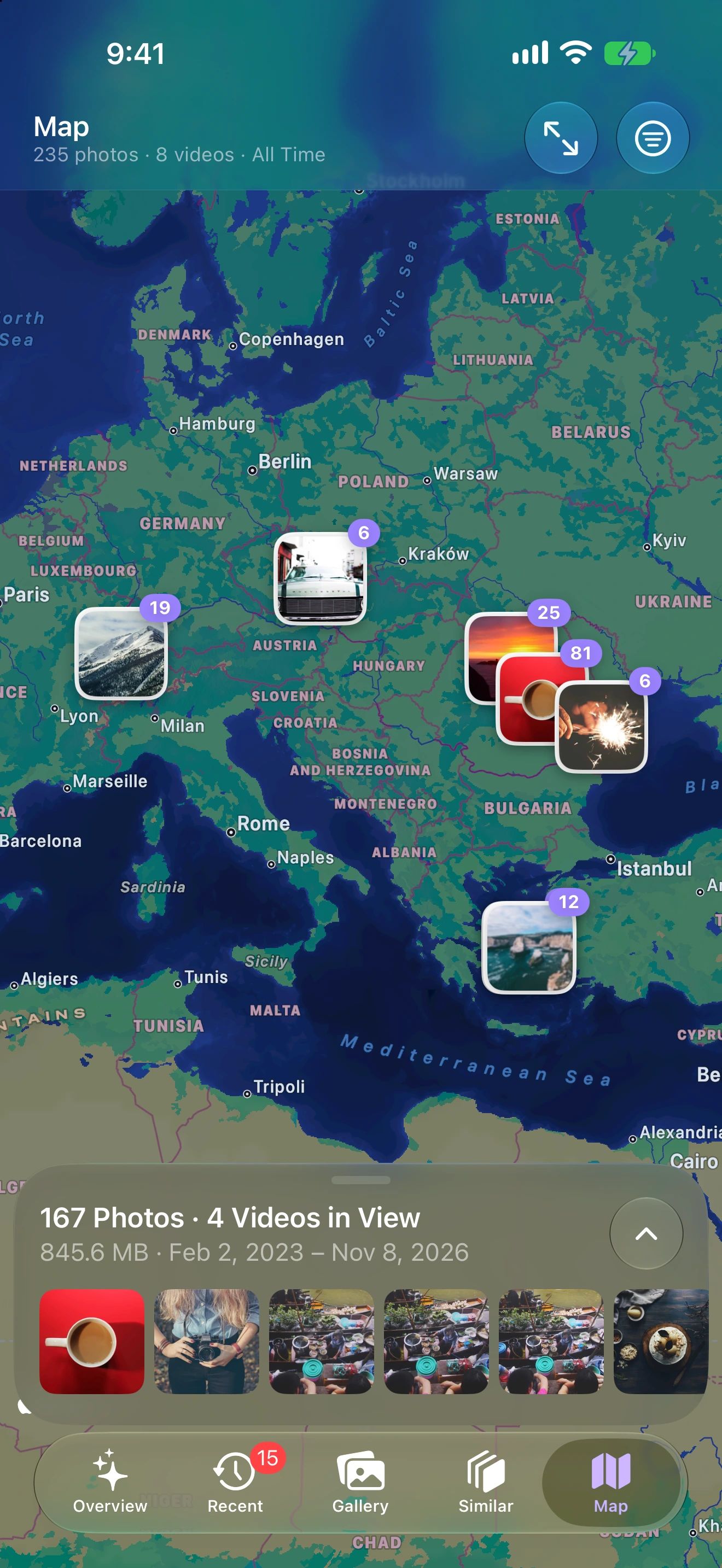
Every trip, one tap away
Move the map
Photos and videos with a location appear as clusters.
See what's in view
The panel lists everything taken in the part of the map you're looking at.
Open a place
Tap a cluster to browse, favorite or clear what was taken there.
Why a map helps you clean up
Trips are where libraries grow fastest: hundreds of photos and a few long videos in a week. A map is the quickest way to find them again.
Zoom to a city and the panel lists everything taken there. Open it, keep the best, and clear the near-duplicates and long clips from that trip in one go.
What you can do on the map
- See clusters of photos and videos wherever they were taken, with a count on each.
- Browse what’s in view: the panel at the bottom lists everything in the visible part of the map, newest first.
- Filter to photos only or videos only, and limit the map to a timeframe.
- Open a cluster to select, favorite, add to an album or delete.
Private by default
Locations come from your photos’ own metadata and are shown only on your device. Photo Cleaner never sends places, coordinates or dates anywhere.
Photo Map questions
Is my location data uploaded?
No. Locations come from your photos' own metadata and are shown on your device only.
Can I show only videos on the map?
Yes. Show photos and videos, photos only or videos only, and limit the map to a timeframe.
Why are some photos missing from the map?
Only items with a location appear. Screenshots, downloaded images and photos taken with location turned off have none.
