
Review new photos before they pile up
Everything taken since your last review, grouped by day, ready to keep or clear.
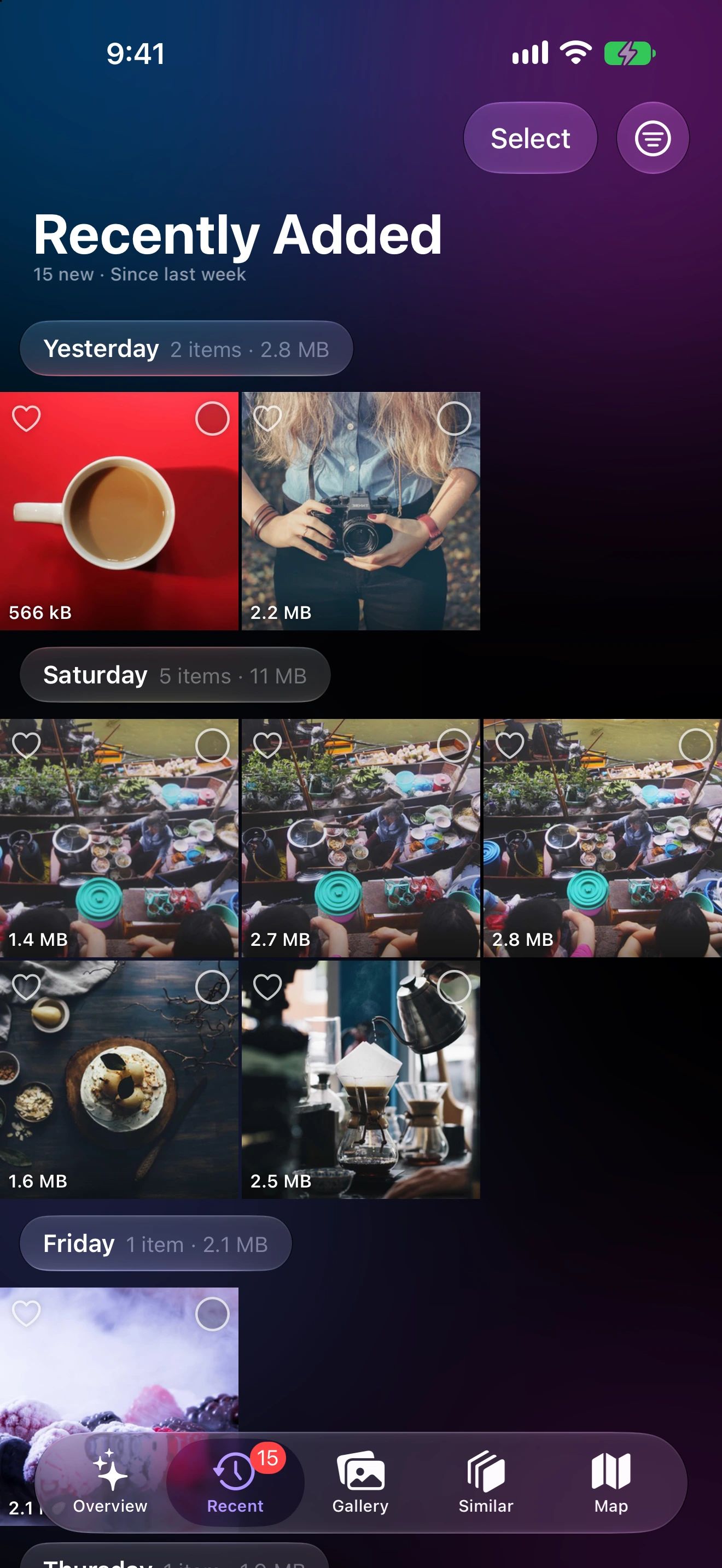
A five-minute habit
Open Recent
A badge on the tab shows how many new items are waiting.
Keep or clear
New items are grouped by day. Delete, favorite or add to an album.
Mark as reviewed
Next time you'll only see what's new since then.
Why cleaning up as you go is easier
Cleaning a library of tens of thousands of photos feels like a project. Cleaning yesterday’s twenty photos takes a minute.
Recently Added turns clean-up into a habit. Everything since your last review is grouped by day. Keep the good shots, delete the duplicates and accidental photos, add the best ones to an album, then mark it all as reviewed.
How it works
Photo Cleaner remembers when you last marked your library as reviewed. Everything taken after that shows up in Recently Added, grouped by day with each day’s size. A badge on the tab tells you how many items are waiting.
Want a different window? Switch to the last 24 hours, the last 7 days or the last 30 days from the menu.
Why small and often works
Right after a trip or an event, you still remember which shot was the good one. A week later they all look the same. Reviewing new photos while they’re fresh takes less time and stops the library from growing in the first place.
Recently Added questions
What counts as new?
Everything added to your library since you last marked it as reviewed. You can also look at the last 24 hours, 7 days or 30 days.
Does marking as reviewed change my photos?
No. It only moves the starting point for Recently Added. Your photos stay as they are.
Can I add new photos to an album from here?
Yes. Select them and use Add to Album, to an existing album or a new one.
